Uitly is a name associated with online tools that help users shorten URLs, create QR codes, build bio pages, and manage links. These features can be useful for social media creators, bloggers, businesses, marketers, and anyone who regularly shares links online.
Instead of distributing a long website address, users can create a shorter link that is easier to share. Depending on the specific Uitly service, they may also be able to customize links, monitor clicks, organize campaigns, or create a single page containing multiple destinations.
One important detail is that several websites use the Uitly name, including Uitly.com, Uitly.in, and Uitly.co. Their advertised features overlap, but users should not assume they have the same ownership, pricing, accounts, or privacy policies. This guide explains Uitly’s main features, potential benefits, practical uses, limitations, and important safety considerations.
What Is Uitly?
Uitly is a name used by online services focused on link management and digital sharing. The version available at Uitly.com advertises URL shortening, dynamic QR codes, bio pages, click analytics, smart deep links, and other marketing tools.
These tools help users manage the links they share across websites, social media platforms, email campaigns, and printed materials.
For example, a small business might create a short link for a product page, generate a QR code for a flyer, and use a bio page to display its website, contact information, and social media accounts.
The main purpose is convenience. Instead of sharing several complicated addresses, users can create a more organized way for people to reach their online destinations.
However, the exact features depend on the particular Uitly domain. Before registering or using an advanced feature, check the website address carefully and review its own terms, privacy policy, and pricing information.
Main Features of Uitly
Uitly.com advertises several tools designed to simplify link sharing and help users understand how their links perform.
URL Shortening
A URL shortener converts a long web address into a shorter link that redirects visitors to the original destination.
Long URLs can contain tracking parameters, product identifiers, or other information that makes them difficult to read and share. A short link can look cleaner in a social media post, message, email, or marketing campaign.
For example, a business could share a shortened link to a product page instead of displaying a lengthy address containing several parameters.
Uitly.com provides a public URL-shortening interface. Its advertised customization options include custom aliases, while additional controls may require an account or an eligible plan.
Before distributing a shortened URL widely, test it to confirm that it redirects to the correct destination.
QR Code Generation
QR codes allow people to access digital information by scanning an image with a compatible phone or device.
Uitly.com advertises QR-code creation and customization features. Depending on the available options, users can generate codes for website addresses and other supported information.
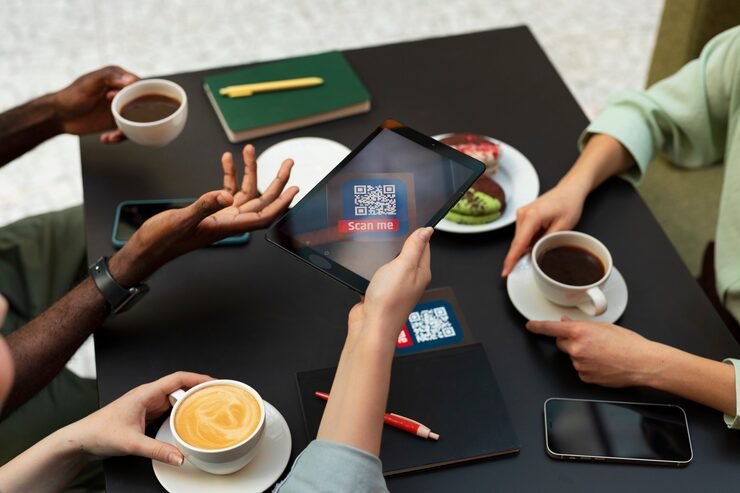
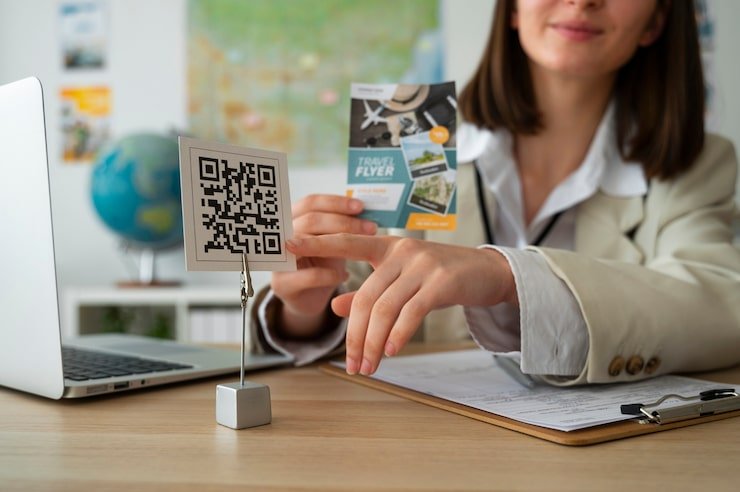
QR codes are useful in situations where typing a URL would be inconvenient. Businesses can place them on packaging, menus, business cards, posters, event materials, and promotional displays.
For example, a restaurant could print a QR code linking to its menu, while a teacher could place one on a worksheet that directs students to an online resource.
Always test a QR code before printing it in large quantities. Confirm that it opens the correct page and remains usable when printed at the intended size.
Bio Pages
A bio page is a simple landing page that collects multiple links in one place.
This feature can help creators and businesses share several destinations through a single profile link. Instead of repeatedly changing a social media profile’s website field, a user can direct visitors to a page containing their important links.
A creator might include a blog, video channel, online store, portfolio, newsletter, and contact page. A small business could use the same approach to display products, booking information, and customer support details.
A good bio page should be easy to navigate on mobile devices and should highlight the most important destinations first.
Click Analytics
Uitly.com promotes analytics that help users monitor link performance.
Depending on the available features, link analytics may include information such as click counts, referring sources, visitor locations, or device categories.
This information can help marketers compare campaigns and understand which channels attract attention. For instance, a business might compare the engagement generated by a QR code on a printed flyer with clicks from a social media post.
Analytics should be interpreted carefully. A click does not necessarily represent a unique person, a completed purchase, or a meaningful conversion. Automated activity and repeated visits may also affect reported figures.
Use analytics alongside other measures, such as enquiries, registrations, or sales, when evaluating a campaign.
Smart Deep Linking
Deep linking directs users to a specific page or location within an app instead of always sending them to a generic homepage.
Uitly.com advertises smart deep-linking capabilities that can direct users toward supported applications or appropriate destinations.
This can be helpful when promoting a particular product, song, service, or piece of content. Rather than asking users to navigate through several screens, a deep link can reduce the number of steps needed to reach the intended destination.
Compatibility depends on the app, device, operating system, and link configuration. Test deep links on relevant devices before using them in an important campaign.
Custom Domains and Branded Links
A branded short link uses a domain associated with a business or personal brand.
Instead of displaying an unfamiliar shortening domain, a company may use its own domain to make links more recognizable. This can improve consistency across social media posts, printed materials, and email campaigns.
Uitly.com advertises branded-domain support among its advanced tools. Availability and setup requirements should be confirmed through the current product documentation.
A branded link is not automatically safe simply because it looks familiar. Users should still verify that the destination is legitimate.
Campaign Management and Integrations
The Uitly.com website also advertises campaign organization, team management, tracking integrations, notifications, and a developer API.
These features may help businesses organize multiple links, collaborate with colleagues, and connect link activity with other marketing systems.
They are most useful for organizations managing several campaigns or users. Someone who only needs to shorten an occasional URL may not require such advanced functionality.
Check the current documentation to understand which integrations are supported and whether they require a paid account.
How to Use Uitly for Shortening Links

The basic process for creating a shortened URL is straightforward, although the available options vary by domain.
Step 1: Identify the Correct Website
Start by confirming which Uitly domain you intend to use. Several sites share the name, and their features or policies may differ.
Use the correct domain consistently when creating links, managing an account, or reviewing support information.
Step 2: Enter the Original URL
Open the URL-shortening tool and locate the field for the destination address.
Paste the complete URL you want to share. Check that it begins with the correct protocol and points to the intended page.
Avoid shortening a suspicious or unfamiliar address without first checking its destination.
Step 3: Customize the Link if Available
Some link-shortening tools allow users to select a custom alias or configure other options.
A descriptive alias may help identify the link’s purpose. For example, a business might use a short phrase related to a campaign rather than a random string of characters.
The available customization options depend on the particular Uitly service and account plan.
Step 4: Create and Test the Link
Use the tool’s shortening function and copy the generated address.
Open the new link in a browser to make sure it redirects to the correct destination. If the link is intended for a mobile application, test it on a compatible phone as well.
Step 5: Share and Monitor Performance
Once tested, share the link through the intended channel.
If analytics are available, review the results to understand how the link is performing. Compare results across campaigns and use the findings to improve future content or marketing decisions.
Benefits of Using Uitly

The potential advantages of a link-management tool depend on the features available and how well they fit a user’s needs.
Cleaner and More Shareable Links
Shortened URLs take up less space and can make long web addresses easier to distribute.
This is especially useful in text messages, social media posts, presentations, and printed materials where lengthy URLs may look untidy.
Convenient Access Through QR Codes
QR codes connect offline materials with online destinations. People can scan the code instead of typing a full web address.
This can simplify access to menus, product information, event registrations, educational resources, and contact pages.
Better Organization of Online Destinations
A bio page provides a single place for several links. This can reduce confusion for people who want to access multiple services from a social media profile or marketing page.
Insight Into Link Engagement
When analytics are available, users can examine how often links are clicked and which channels generate activity.
These insights can support more informed marketing decisions, provided the data is interpreted correctly.
Support for Marketing Workflows
Features such as campaign grouping, team access, branded domains, and integrations can be useful for organizations managing multiple links.
They may reduce the need to switch between separate tools for every link-related task.
However, the usefulness of these features depends on reliability, cost, privacy, and the specific requirements of the user.
Who Can Benefit From Uitly?
Uitly-style link-management tools can serve several types of users.
Social Media Creators
Creators often need to share videos, profiles, products, newsletters, and other destinations. A bio page can organize these links behind one address.
Short links may also make campaign URLs easier to include in posts and messages.
Small Businesses
Small businesses can use short links and QR codes to connect customers with menus, product catalogs, booking forms, or contact information.
These tools may be particularly useful when customers encounter a business through printed materials or in-person promotions.
Bloggers and Website Owners
Bloggers can use short links to share articles, promote resources, and organize campaign links. Analytics may help them understand which channels generate visits.
However, shortened links should complement a well-maintained website rather than replace clear navigation and useful content.
Digital Marketers
Marketers managing multiple campaigns may benefit from link organization, custom domains, analytics, and integrations.
They can use these features to compare distribution channels and measure engagement. For accurate evaluation, link data should be combined with campaign objectives and conversion measurements.
Teachers and Event Organizers
Teachers can use QR codes to share learning resources, while event organizers can direct attendees to registration forms, schedules, maps, or feedback pages.
Testing codes before distributing them helps prevent access problems during important activities.
Is Uitly Safe to Use?
Safety depends on the exact domain, the destination of each shortened link, and the information users provide.
A shortened URL hides the full destination from casual inspection. As a result, scammers can sometimes use short links to disguise phishing pages, malicious downloads, or deceptive websites.
This does not mean every shortened link is dangerous. It means users should apply the same caution they would use with any unfamiliar online address.
Before opening a link, consider who sent it, whether you expected it, and whether the message makes sense. Be particularly cautious of unexpected links involving payments, account verification, prizes, or urgent warnings.
The presence of HTTPS is useful for protecting the connection to a website, but it does not guarantee that the destination itself is trustworthy.
There is also an important distinction between the various Uitly domains. Their overlapping branding does not establish shared ownership or identical privacy practices. Review the privacy policy and terms on the specific domain you use, and avoid assuming that an account on one site works on another.
For business use, test the service with low-risk links before making it central to a major campaign. Avoid placing confidential information in public links, and check the available account security and data-management controls.
Is Uitly Free?
The availability and cost of Uitly features depend on the specific website.
Uitly.com displays a public link-shortening form and advertises more advanced options, including dynamic QR codes and branded links. Its public product pages do not establish every current pricing limit in a way that should be treated as universal.
Another website using the Uitly name may advertise a different free offering or pricing arrangement.
Before paying, check the exact domain, the current pricing page, the features included in each plan, and any usage limits. Confirm whether analytics, custom domains, dynamic QR codes, or team access require registration or a paid subscription.
Do not assume that a feature advertised by one Uitly-branded website is available on another.
Limitations to Consider Before Using Uitly
Link-management tools can be convenient, but they also introduce dependencies and potential limitations.
Dependence on the Service
A shortened URL generally relies on the service maintaining its redirect. If the service stops operating, changes its policies, or disables an account, links may stop working.
This can create problems when short links appear on printed materials, product packaging, or long-running campaigns.
For important projects, maintain a record of each original destination and consider whether a branded domain or a self-managed redirect would provide greater control.
Limited Visibility Into Destinations
A short link does not clearly reveal its final destination. This can reduce confidence for users who are cautious about unfamiliar addresses.
When possible, provide context about where the link leads. For sensitive campaigns, use a recognizable branded domain and avoid misleading aliases.
Privacy and Analytics Considerations
Link analytics can collect information about visitor activity. Depending on the service, this may include click events, approximate location, referral data, or device information.
Businesses should review the relevant privacy policy and determine whether their use of analytics requires additional disclosures or consent under applicable laws.
Do not collect or share more information than necessary for the intended purpose.
Features May Differ Across Domains
Because multiple websites use the Uitly name, feature descriptions, support arrangements, and policies may not be interchangeable.
Confirm the exact domain before registering, paying, creating QR codes, or distributing important links.
Uitly and SEO: What Should Website Owners Know?
Uitly can help organize and distribute links, but using a URL shortener does not automatically improve search rankings.
For SEO, the primary focus should remain on useful content, a technically sound website, a good user experience, and relevant references from trustworthy sources.
Short links can be convenient for campaign tracking and sharing. However, website owners should understand how redirects work and whether they preserve the tracking or attribution information needed for their goals.
Avoid using shortened links as a substitute for meaningful internal linking or a clear website structure. When linking directly to a page is practical, a direct URL often provides users with greater transparency.
For long-term business campaigns, reliability and control over redirects may be more important than link length alone.
Final Thoughts on Uitly
Uitly is a name associated with link-management tools that can shorten URLs, generate QR codes, create bio pages, and support digital marketing activities. These features can make online sharing more organized and provide useful insights into campaign engagement.
The platform may suit creators, bloggers, small businesses, educators, and marketing teams, depending on their needs and the features available on the particular website they choose.
The main consideration is that several domains use the Uitly name. Similar descriptions do not prove common ownership or identical policies, so users should verify the website address, review the current terms, and test links before relying on the service for important campaigns.
Used thoughtfully, link-management tools can make sharing easier. They should still be treated as one part of a broader digital strategy, with appropriate attention to privacy, destination safety, reliability, and long-term access.
Frequently Asked Questions
1. What is Uitly used for?
Uitly is a name associated with online tools for shortening URLs, creating QR codes, building bio pages, and managing links. Some versions also advertise analytics, deep linking, branded domains, and campaign-management features.
2. Is Uitly free to use?
A basic link-shortening interface is publicly available on Uitly.com, but the limits and costs of advanced features may vary. Check the current pricing information on the exact domain you intend to use.
3. Can Uitly create QR codes?
Yes. Uitly.com advertises QR-code generation and customization. QR codes can be useful for connecting printed materials, menus, packaging, and promotional displays to online destinations.
4. Is Uitly safe for shortening links?
A link-shortening service can be useful, but shortened URLs hide their destinations. Verify unfamiliar links before opening them, review the service’s privacy policy, and confirm the exact Uitly domain you are using.
5. Are Uitly.com, Uitly.in, and Uitly.co the same website?
They are separate domains that use the Uitly name and advertise overlapping features. Their similar branding does not confirm shared ownership, accounts, pricing, or privacy policies, so check each domain independently.